


- Status
- Offline
- Joined
- Apr 19, 2022
- Messages
- 143
- Reaction score
- 2
Mason for Fortnite — Aimbot, ESP, Radar & Instant Reload / Revive
Fortnite — Mason is an advanced cheat built for stable, comfortable gameplay: a smooth Aimbot with prediction and auto-switch, a detailed ESP covering everything you need to track, Instant Reload / Revive and a clean configurable radar.
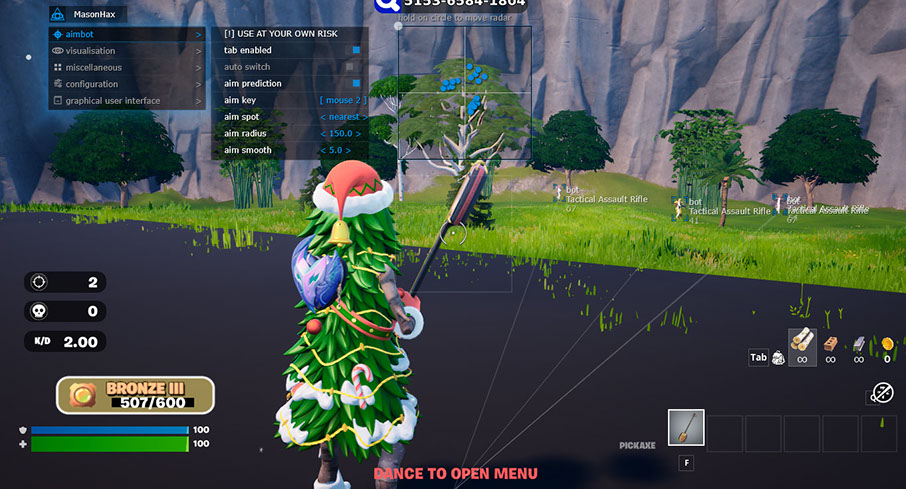
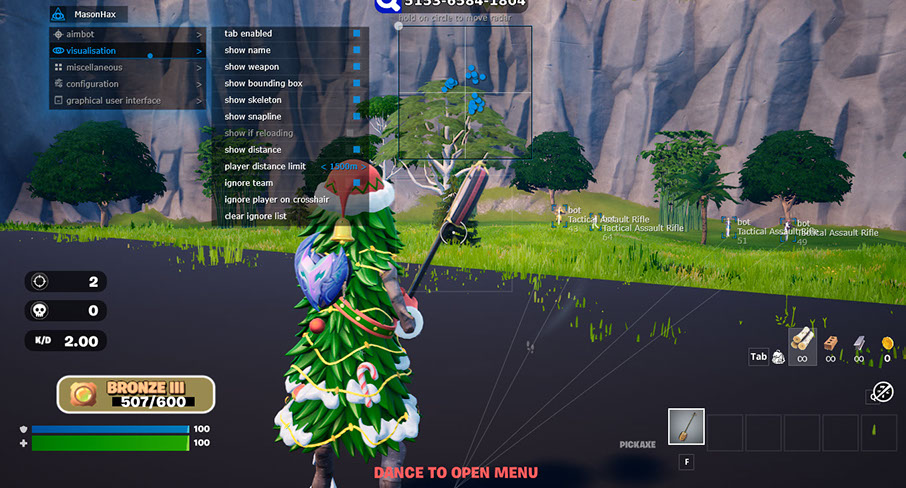
Mason is designed for both aggressive play and careful, natural-looking gameplay. The Aimbot offers a configurable radius, smoothness, predictive aiming, bone selection via Aim Spot and automatic target switching — so you can dial in exactly how the crosshair tracks. ESP covers bounding boxes, skeletons, a reload indicator, snaplines, enemy names, weapons, distance, an Ignore Team toggle to hide allies and a player distance limit to keep the screen clean at long range.
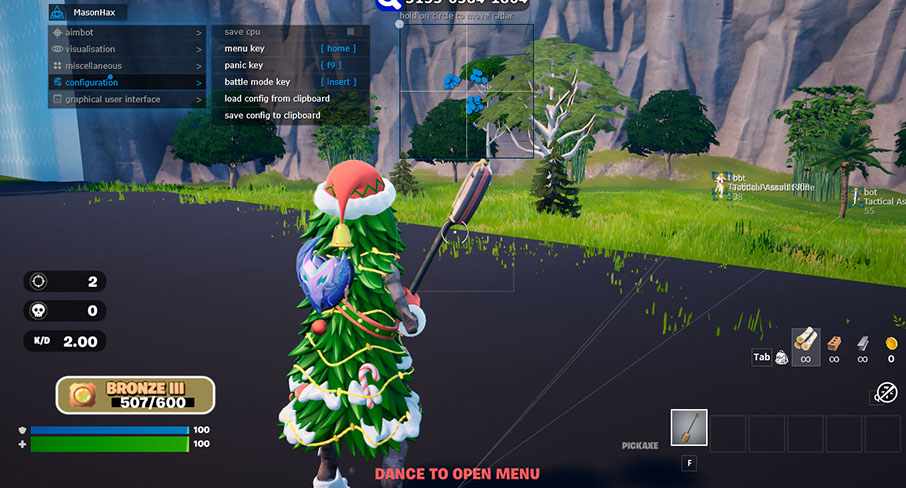
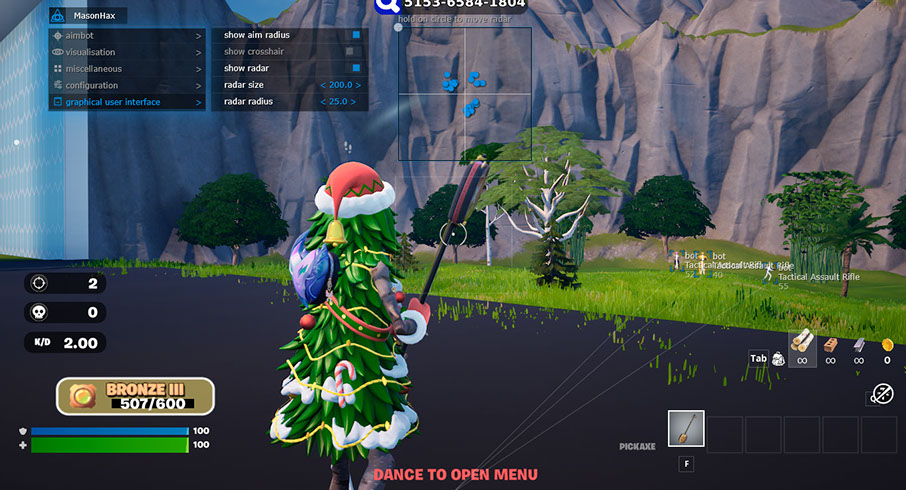
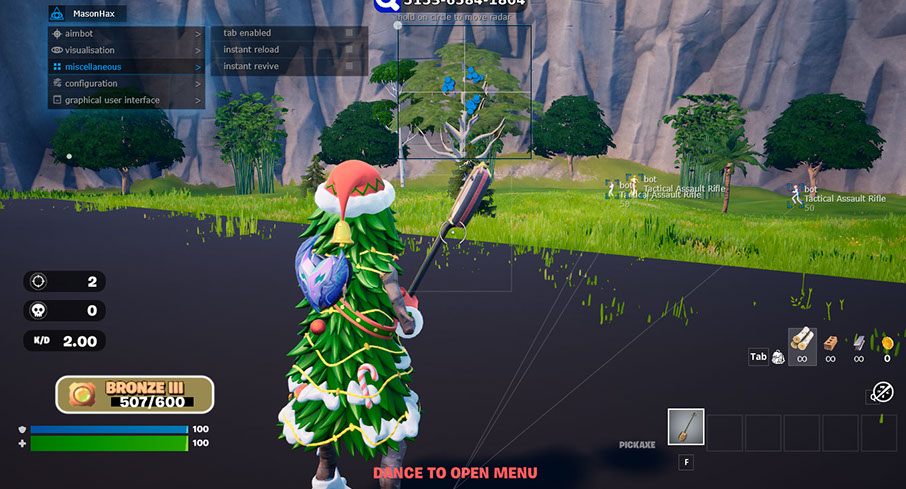
Miscellaneous adds Instant Reload and Instant Revive, Configuration exposes a Save CPU toggle to reduce processor load, a Panic Key for instant shutdown, Menu Key, a Battle Mode Key that strips the visuals down to players only, plus Load / Save Config to and from the clipboard for fast sharing. The GUI block draws the aim radius and a static crosshair and renders an on-screen Radar with adjustable size and capture radius. Installation is quick and the cheat supports the latest Fortnite builds and Easy Anti-Cheat; video and OBS bypass is included.
Video
Prices
Pick the subscription that fits your schedule. Payment is processed instantly — access is activated right after checkout.| Period | Price | Checkout |
| 24 hours | $8.00 |
You cant view this link please login.
|
| 7 days | $32.00 |
You cant view this link please login.
|
| 30 days | $65.00 |
You cant view this link please login.
|
System Requirements
- Game client: Epic Games
- Game mode: Windowed, Fullscreen in window
- Operating system: Windows 10 and 11 x64 (2004 / 20H2 / 21H1 / 21H2 / 22H2 / 23H2 / 24H2 / 25H2 / 26H1). Optional support for Windows 11 version 24H2, stability is not guaranteed.
- Anti-cheat: Easy Anti-Cheat
- Processor: Intel and AMD
- OBS bypass: Yes
- BIOS boot mode: UEFI
- Disk format: GPT
- Additional requirements: Enable VT-x / VT-d (Virtualization), enable Hyper-V, disable Secure Boot
- USB flash drive: Required
Key Features
A short overview of what Mason brings to Fortnite. The full list with every toggle is available in the expanded block further down.✔ Aimbot — Aim Key, Radius, Smooth, Prediction, Aim Spot (bone) and Auto Switch
✔ ESP — bounding box, skeleton, reload info, snaplines, name, weapon, distance
✔ Ignore Team and Player Distance Limit for a clean display
✔ Instant Reload and Instant Revive
✔ Panic Key, Battle Mode Key and Save CPU
✔ Config via clipboard — Save / Load settings with one paste
✔ GUI Radar — show aim radius, crosshair and radar with size and radius controls
Full Feature List
Aimbot
- Enable — turn on the aimbot
- Aim Key — activation button
- Aim Radius — aim capture radius
- Aim Smooth — aim smoothness
- Aim Prediction — predictive aiming
- Aim Spot — bone selection for aiming
- Auto Switch — auto switch to next target
Visualisation (ESP)
- Enable — turn on ESP
- Bounding Box — box around enemy
- Skeleton — enemy skeleton
- Reload Info — enemy reload indicator
- Snaplines — lines to enemy
- Player Name — enemy name
- Weapon Info — enemy weapon
- Distance — distance to enemy
- Ignore Team — hide teammates
- Player Distance Limit — display distance limit
Miscellaneous
- Enable — turn on misc features
- Instant Reload — instant reload
- Instant Revive — instant ally revive
Configuration
- Save CPU — reduce processor load
- Panic Key — quick cheat shutdown
- Menu Key — menu display button
- Battle Mode Key — show-players-only mode
- Load Config from Clipboard
- Save Config to Clipboard
GUI (Radar)
- Show Aim Radius — display aim capture radius
- Show Crosshair — display crosshair
- Show Radar — display on-screen radar
- Radar Size — radar size on screen
- Radar Radius — enemy display radius
Support
If you have any questions about launch or configuration — contact us in Telegram or Discord, and we will help you get set up. Every product on the site has a live working status and update history, so you can check everything before buying.Useful Links
- You cant view this link please login.
- You cant view this link please login.
- You cant view this link please login.
- You cant view this link please login.
- You cant view this link please login.
- You cant view this link please login.
Contacts
Telegram (admin): @undetect
Discord:
You cant view this link please login.
Email: [email protected]
VK: vk.com/imdreamhack
Official Website
Full catalog, reviews and support — on the official website
You cant view this link please login.
Cheat Menu Screenshots
| 
|
| 
|
Frequently Asked Questions
Q: Which game is supported? A: Fortnite on the Epic Games client.
Q: Which anti-cheat is supported? A: Easy Anti-Cheat.
Q: Which operating systems are supported? A: Windows 10 and 11 x64 (2004, 20H2, 21H1, 21H2, 22H2, 23H2, 24H2, 25H2, 26H1). Windows 11 24H2 is optionally supported; stability is not guaranteed.
Q: Which processors are supported? A: Intel and AMD.
Q: Which game modes are supported? A: Windowed and Fullscreen in window.
Q: Is OBS bypass supported? A: Yes — OBS bypass is supported.
Q: What BIOS and disk settings are required? A: UEFI boot mode and a GPT disk. Virtualization (VT-x / VT-d) and Hyper-V must be enabled, Secure Boot must be disabled.
Q: Is a USB flash drive required? A: Yes.
Q: What does the Aimbot include? A: Aim Key, Aim Radius, Aim Smooth, Aim Prediction, bone selection via Aim Spot and Auto Switch.
Q: Can I save and share my configuration? A: Yes — configs can be saved and loaded directly from the clipboard.
Q: Is there a panic key? A: Yes — Panic Key for quick shutdown, plus a Battle Mode Key to trim the visuals to players only.
SEO Tags
Mason, Fortnite, Aimbot, ESP, Radar
Last edited:

