


- Status
- Offline
- Joined
- Apr 19, 2022
- Messages
- 109
- Reaction score
- 2
 Melonity – Powerful Private Cheat for Minecraft with 100+ Features
Minecraft — Melonity is one of the most reliable and powerful professional cheats for Minecraft.
It combines over 100 features, giving you full control over the game.
Melonity includes four main module categories: COMBAT for combat actions, SURVIVAL for survival, VISUAL for visual improvements and UTILITY for useful utilities. The cheat works on all popular servers including FT, RW, HW, Spooky and others, ensuring stable operation and safe bypass of in-game anti-cheat. Melonity supports all game modes and provides players with incredible opportunities to improve gameplay.
✔ Over 100 features
✔ Four main module categories (COMBAT, SURVIVAL, VISUAL, UTILITY)
✔ Works on all popular servers (FT, RW, HW, Spooky)
✔ Safe bypass of in-game anti-cheat
✔ Supports all game modes
✔ Stable operation
 Prices
- 30 days – $6.25: Buy 30 days
- 1 year – $47.25: Buy 1 year
 Official Page
🖥 System Requirements
- Game client: Minecraft
- System: Windows 10, 11
- Processor: Intel and AMD
- Graphics card: Any
- USB flash drive: Not required
- Window mode: Windowed, Borderless, Fullscreen
- Built-in spoofer: No
- Anti-cheat: In-game
 Features
COMBAT MODULES:
| SURVIVAL MODULES:
|
VISUAL MODULES:
| UTILITY MODULES:
|
 Media
Media
In-Game Screenshots
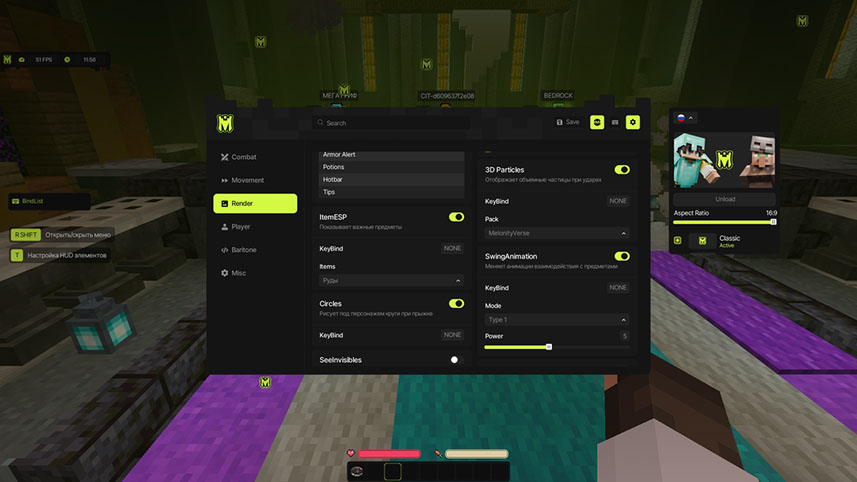
| 
|
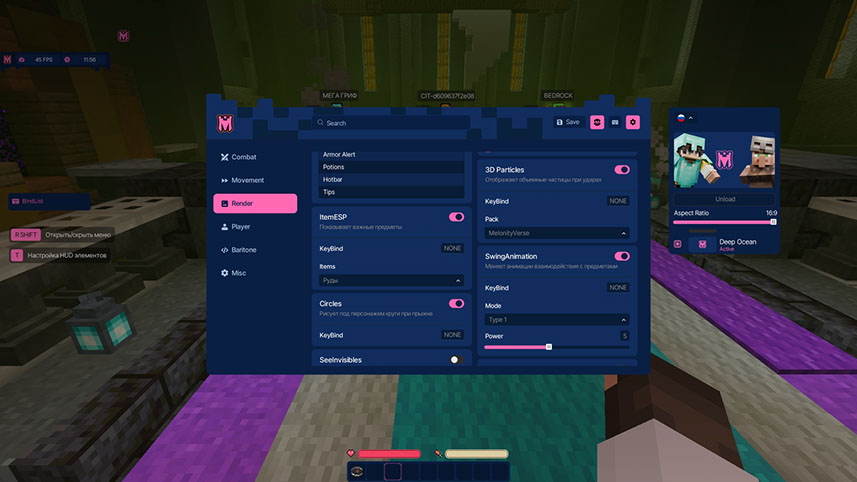
 Video
Video
 Contacts
Telegram: @idreamhackDiscord: https://ivsofte.biz/discord/index.html
Email: [email protected]
VK: vk.com/imdreamhack
Online operator: ivsofte.biz
 Official Website
For additional information about the cheat, updates, and support, visit the official website ivsofte.biz Frequently Asked Questions
Q: Does Melonity work on all Minecraft servers?
A: Yes, Melonity works on all popular servers including FT, RW, HW, Spooky and others. The cheat provides stable operation and safe bypass of in-game anti-cheat.
Q: How many features does Melonity have?
A: Melonity includes over 100 features organized into four main module categories: COMBAT, SURVIVAL, VISUAL and UTILITY.
Q: Is a USB flash drive required?
A: No, a USB flash drive is not required according to the system requirements.
Q: Does Melonity support all game modes?
A: Yes, Melonity supports all game modes and provides players with incredible opportunities to improve gameplay.
Q: Is Melonity safe to use?
A: Yes, Melonity uses a safe bypass of in-game anti-cheat, ensuring stable operation on supported servers.
Q: What operating systems are supported?
A: Melonity supports Windows 10 and Windows 11 operating systems.
Q: Where can I get more information about Melonity?
A: For additional information about the cheat, updates, and support, visit the official website ivsofte.biz or contact support through Telegram, Discord, Email or VK.
A: Yes, Melonity works on all popular servers including FT, RW, HW, Spooky and others. The cheat provides stable operation and safe bypass of in-game anti-cheat.
Q: How many features does Melonity have?
A: Melonity includes over 100 features organized into four main module categories: COMBAT, SURVIVAL, VISUAL and UTILITY.
Q: Is a USB flash drive required?
A: No, a USB flash drive is not required according to the system requirements.
Q: Does Melonity support all game modes?
A: Yes, Melonity supports all game modes and provides players with incredible opportunities to improve gameplay.
Q: Is Melonity safe to use?
A: Yes, Melonity uses a safe bypass of in-game anti-cheat, ensuring stable operation on supported servers.
Q: What operating systems are supported?
A: Melonity supports Windows 10 and Windows 11 operating systems.
Q: Where can I get more information about Melonity?
A: For additional information about the cheat, updates, and support, visit the official website ivsofte.biz or contact support through Telegram, Discord, Email or VK.
 SEO Tags
SEO Tags
Melonity, Minecraft cheat, Minecraft hack, Minecraft mod, Minecraft client

